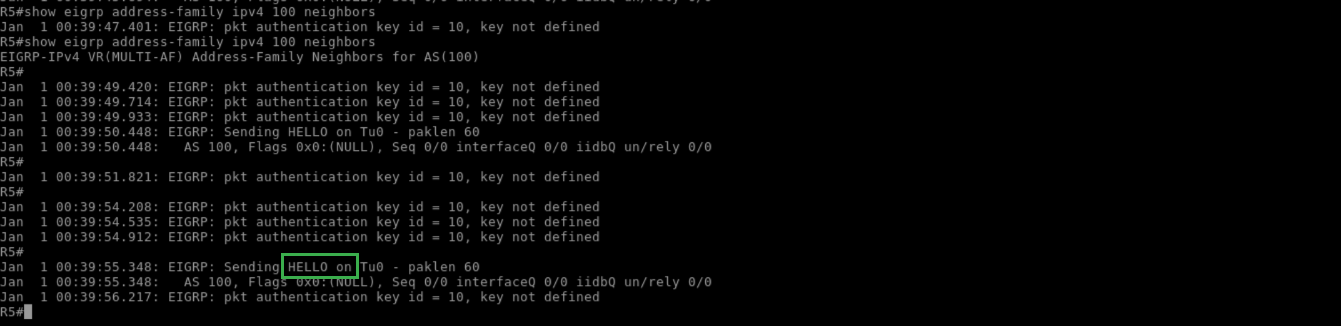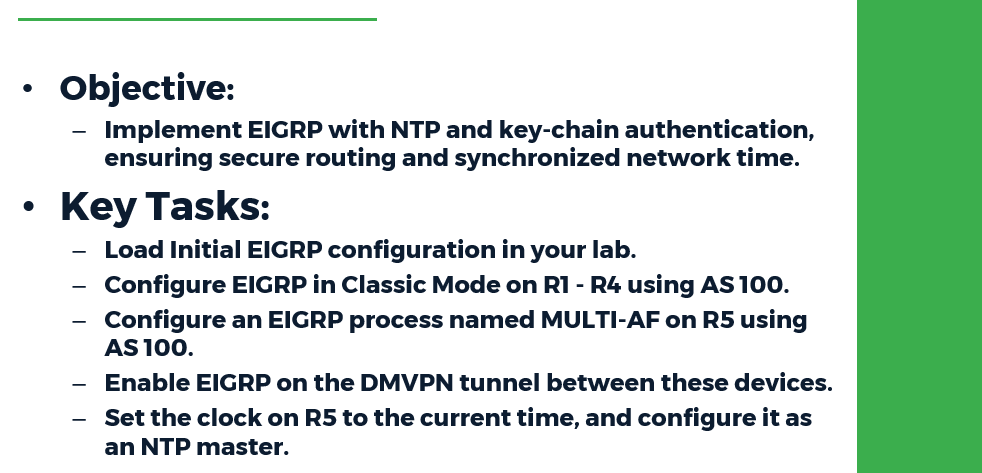
Task:
● Load the Initial EIGRP configuration in your lab
● Configure EIGRP in Classic Mode on R1 - R4 using AS 100.
● Configure an EIGRP process named MULTI-AF on R5 using AS 100.
● Enable EIGRP on the DMVPN tunnel between these devices.
● Set the clock on R5 to the current time, and configure it as an NTP master.
● Configure R1 - R4 to get NTP time from R5.
● Authenticate the EIGRP adjacencies on the DMVPN network between R1, R2, R3,
R4, and R5 with a key-chain named KEY_ROTATION as follows:
○ Create key ID 10 with the password CISCO10.
○ Create key ID 20 with the password CISCO20.
○ Key ID 10 should be used from 00:00:00 Jan 1 1993 until 00:05:00 Jan 1 2030, and should be accepted for 10 minutes past this time.
○ Key ID 20 should be sent starting at 00:00:00 Jan 1 2030, and should be accepted any time after this time
● Modify R5's clock to 23:59:00 Dec 31 2029.
● Remove and re-apply R1 - R4's NTP server configuration toward R5.
● If your configuration is successful, R1 - R4 should update their clocks through NTP
and roll over to the new authentication key without a loss of EIGRP adjacencies
Configuration:
R1-R4:
!
router eigrp 100
network 172.16.0.0 0.0.0.255
!
ntp server 172.16.0.5
!
key chain KEY_ROTATION
key 10
key-string CISCO10
accept-lifetime 00:00:00 Jan 1 1993 00:15:00 Jan 1 2030
send-lifetime 00:00:00 Jan 1 1993 00:05:00 Jan 1 2030
key 20
key-string CISCO20
accept-lifetime 00:00:00 Jan 1 2030 infinite
send-lifetime 00:00:00 Jan 1 2030 infinite
!
interface Tunnel0
ip authentication mode eigrp 100 md5
ip authentication key-chain eigrp 100 KEY_ROTATION
!
R5:
!
ntp master 1
!
key chain KEY_ROTATION
key 10
key-string CISCO10
accept-lifetime 00:00:00 Jan 1 1993 00:15:00 Jan 1 2030
send-lifetime 00:00:00 Jan 1 1993 00:05:00 Jan 1 2030
key 20
key-string CISCO20
accept-lifetime 00:00:00 Jan 1 2030 infinite
send-lifetime 00:00:00 Jan 1 2030 infinite
!
router eigrp MULTI-AF
!
address-family ipv4 unicast autonomous-system 100
!
af-interface Tunnel0
authentication mode md5
authentication key-chain KEY_ROTATION
exit-af-interface
topology base
exit-af-topology
network 172.16.0.0 0.0.0.255
exit-address-family
!
Verification:
Pitfall: Whenever time-based authentication is configured, ensure that all devices agree on the same time. This can be manually configured with the clock set command or through NTP. Also, the additional overlap of sending/receiving keys ensures that a drift away from the accurate time will not cause routing adjacencies to be lost. NTP time synchronization can be verified as seen below
R5:
!
show ntp status
!

R1:
!
show ntp status
!

With EIGRP MD5 authentication, only the lowest active key number is sent for authentication. Current active keys can be verified as follows:
R1:
!
show clock
!

R1:
!
show key chain
!

R1:
!
debug eigrp packet hello
!

Next, R5 is updated with the new time:
R5:
!
show clock
!

R5:
!
clock set 23:59:00 Dec 31 2029
!

R5:
!
show clock
!

R5:
!
show key chain
!

To update the rest of the devices' time, remove and re-apply their NTP configuration:
R1:
!
show clock
!

R1:
!
configure terminal
no ntp server 172.16.0.5
ntp server 172.16.0.5
!
R1:
!
show clock
!

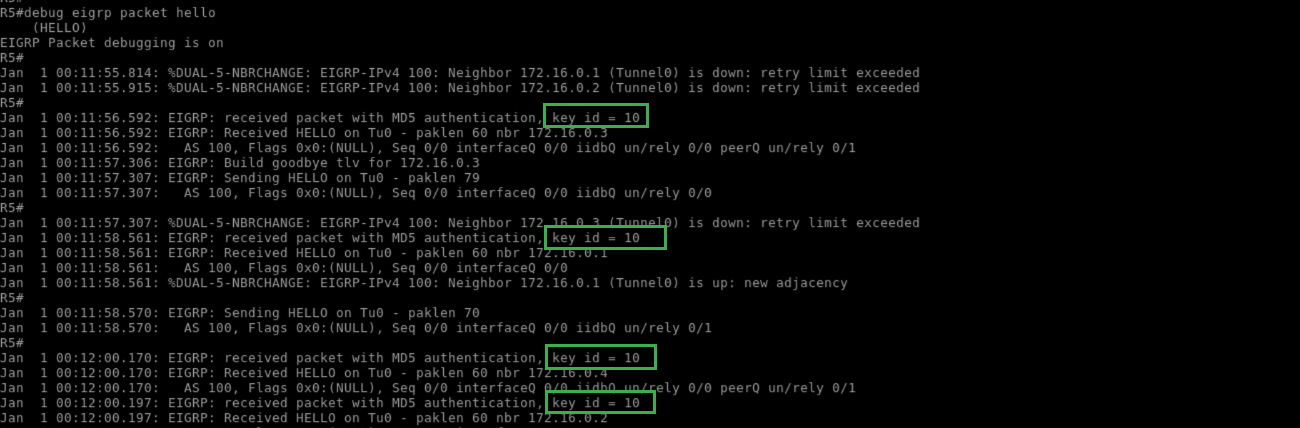
Before the configured rotation time, R5 should still be receiving key ID 10:
R5:
!
debug eigrp packet hello
!
At the time of rotation, all devices should invalidate the sending of key 10, but they should still accept it as valid due to the configured overlapping period:
R1:
!
show clock
!

R1:
!
show key chain
!

R1:
!
show ip eigrp neighbor
!

Note that the uptime of the EIGRP neighbors indicates that an adjacency flap has not occurred. R5 should now be receiving EIGRP packets with key ID 20
R5:
!
debug eigrp packet hello
!
ultimate-eigrp-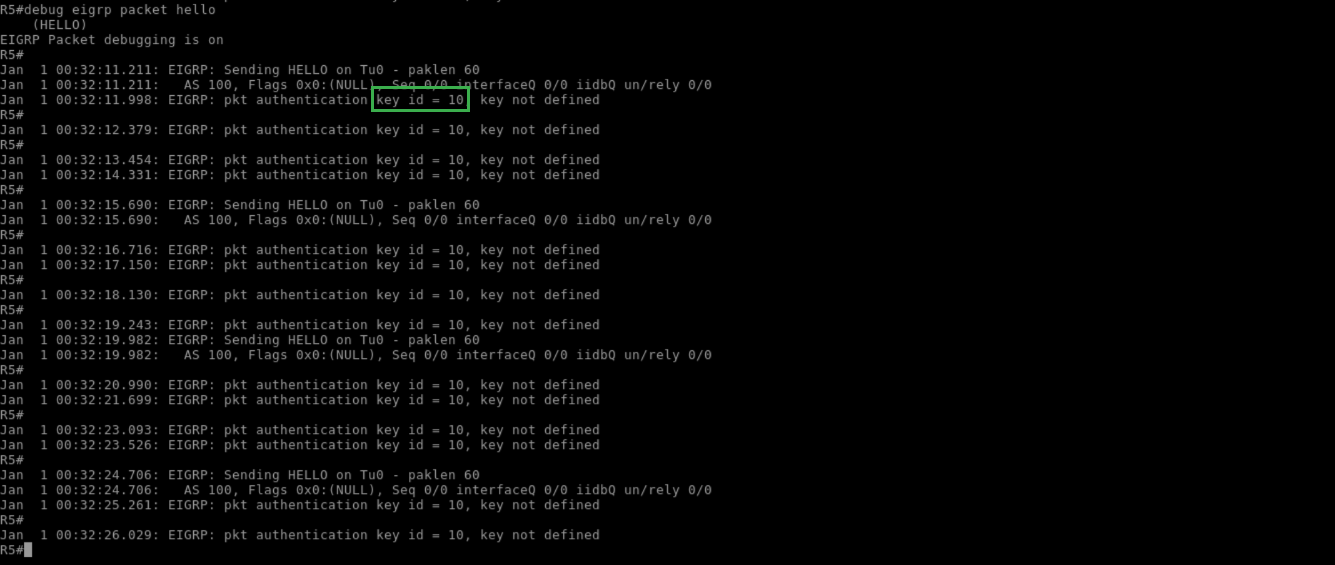
A short time later, key ID 10 stops being accepted, and rotation is complete
R5:
!
show key chain
!

R5:
!
show eigrp address-family ipv4 100 neighbors
!