Task:
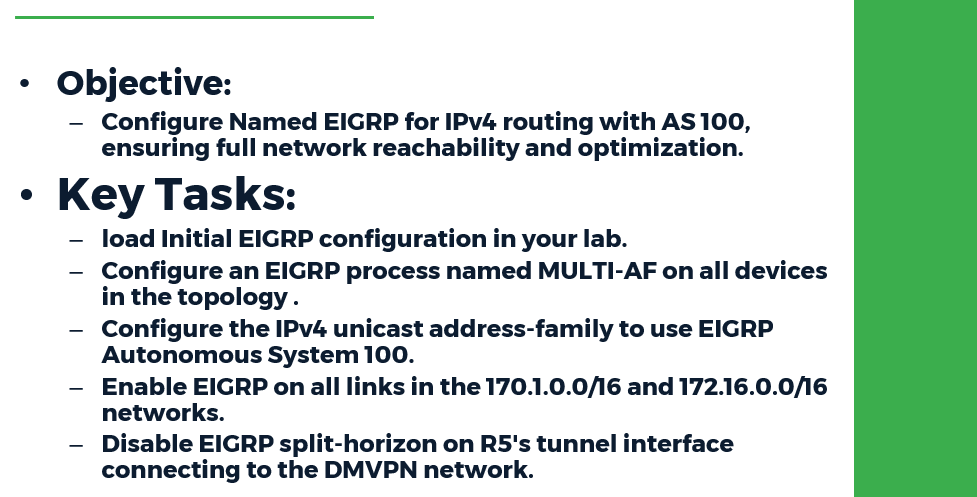
● Load the Initial EIGRP configuration in your lab
● Configure an EIGRP process named MULTI-AF on all devices in the topology.
● Configure the IPv4 unicast address-family to use EIGRP Autonomous System 100.
● Enable EIGRP on all links in the 170.1.0.0/16 and 172.16.0.0/16 networks.
● Disable EIGRP split-horizon on R5's tunnel interface connecting to the DMVPN network.
● When complete, all devices should have full IPv4 reachability throughout the network.
Configuration:
R1 - R4, R6 - R10:
router eigrp MULTI-AF
!
address-family ipv4 unicast autonomous-system 100
!
topology base
exit-af-topology
network 170.1.0.0
network 172.16.0.0
exit-address-family
!
R5:
!
router eigrp MULTI-AF
!
address-family ipv4 unicast autonomous-system 100
!
af-interface Tunnel0
no split-horizon
exit-af-interface
!
topology base
exit-af-topology
network 170.1.0.0
network 172.16.0.0
exit-address-family
!
Verification:
EIGRP Multi-AF Mode, also known as EIGRP Named Mode, is an enhancement to the EIGRP syntax format introduced in IOS release 15.0. In EIGRP Classic Mode, now also referred to as EIGRP Autonomous System Mode, syntax was fragmented between the global process and the interface level. Furthermore, syntax at the interface level did not follow a strict hierarchy in its command structure. With EIGRP Multi-AF mode, all configuration is now consolidated to the global process.
In EIGRP Named Mode, the name of the EIGRP process is any locally significant string. The address-family configuration specifies which particular AF EIGRP is configured in, such as IPv4, the sub-address-family identifier (SAFI), such as unicast, the routing table, such as global or VRF, and the autonomous system.
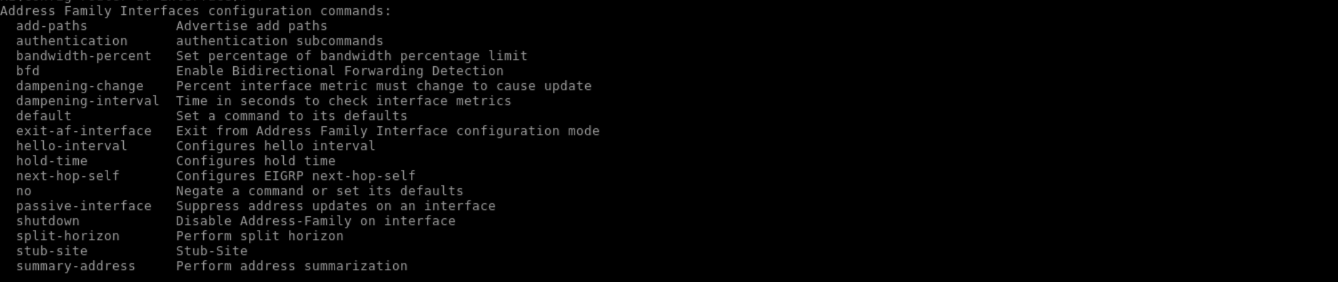
Furthermore, any commands that were previously issued at the interface level, such as no ip split-horizon eigrp, are now configured under the af-interface mode, with the specific interface denoted.
R1:
!
enable
configure terminal
router eigrp MULTI-AF
address-family ipv4 unicast autonomous-system 100
af-interface Ethernet0/1
?
!
Attributes that are global to the EIGRP process are either configured under the SAFI itself or under the topology base, assuming that Multi-Topology Routing (MTR) is not being used:
R1:
!
router eigrp MULTI-AF
address-family ipv4 unicast autonomous-system 100
?
!

R1:
!
topology base
?
!

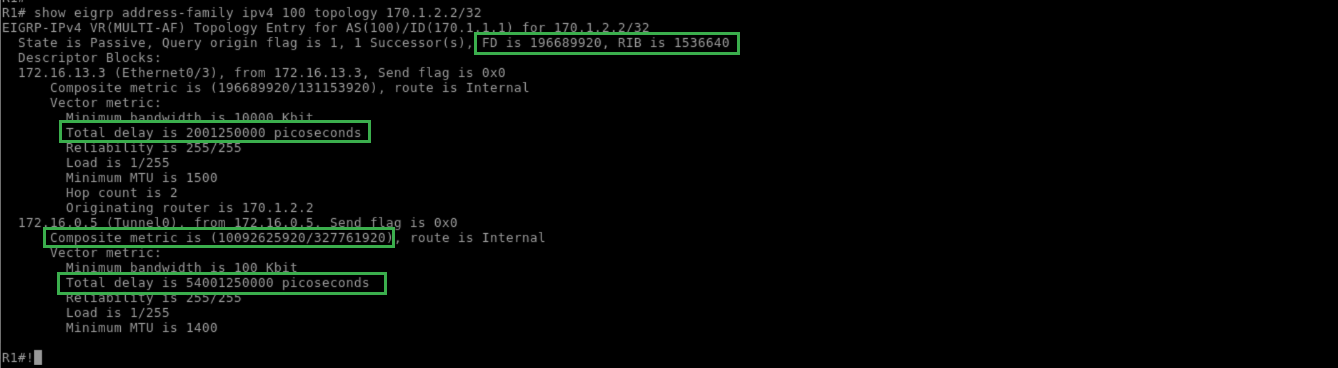
In addition to the syntax parser change, EIGRP Wide Metric scaling is automatically enabled when EIGRP runs in Named Mode. This can be seen from the delay value now being measured in picoseconds in the EIGRP topology, as well as the RIB scaling factor seen below
R1:
!
show eigrp address-family ipv4 100 topology 170.1.2.2/32
!